-
- Infinity Operating System is
like
- windows for the TI-83
-
Infinity
Software Main Page
|
Infinity OS, or just iOS, is intended to be the best
looking and most useful graphical user interface for the
TI-83. iOS is currently just an operating system that does
not support any existing TI-83 applications. Supporting
existing apps is not an easy task, because iOS is designed
to run apps in windows. Most applications run on the TI-83
home screen only.
Take a look at the screen shots below, and
let me know what you
think. The screen shots come from the latest version of
iOS, Beta 9.0.
Thank you,
Gerrit DeWitt
Author of iOS
|
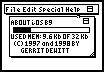
- About iOS dialog
- The about dialog shows version, copyright,
and memory information. The progress bar shows how much
RAM is being used at any given time by iOS.
|
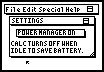
- Settings window
- iOS lets you enable or disable the
timed-shutdown feature that a TI-83 already has.
Currently, the power manager can only be on or off within
iOS; when it is on, the TI-83 shuts down in three to four
minutes if idle. (The shutdown time may vary depending
upon battery power available.)
|
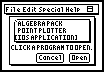
- Open dialog
- The open dialog has been recently rewritten.
Currently, iOS supports a limited number of apps that are
written for it. This is a challenge. It would be nice if
any app would run from iOS, but this would require the
user to edit a settings file (in the form of a TI-83
program).
|
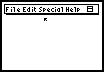
- Desktop
- The desktop looks just about like a computer.
There is a menu bar on top and a mouse. The menus work
just like computer menus. Clicking the close box to the
right will exit iOS. The menus contain the following
commands:
- File: Open...
- Edit: Settings...
- Special: Quit iOS and Shut Down
- Help: About iOS...
|